Lead Inbox
Never miss another job.
A simple enquiry form for your website and Google profile, and every enquiry in one app on your phone, with an alert the second it arrives. Call back first and win the job.
Basic plan from $29 a month. Included in every plan. No app store.
Works wherever your customers are.
Your form goes on your website, your Google profile and anywhere you can share a link. Every enquiry comes straight to you.
1. Customers find your form
Floating button on your website
Sits in the corner of every page. One tap opens your form.
Form inside your website
Right on your contact page, instead of a plain contact form.
Your Google Business Profile
A link on your Google listing. Works even without a website.
A shareable link
Text it, email it, or add it to Facebook, Instagram or a QR code.
2. You hear about it straight away
Lead Inbox app
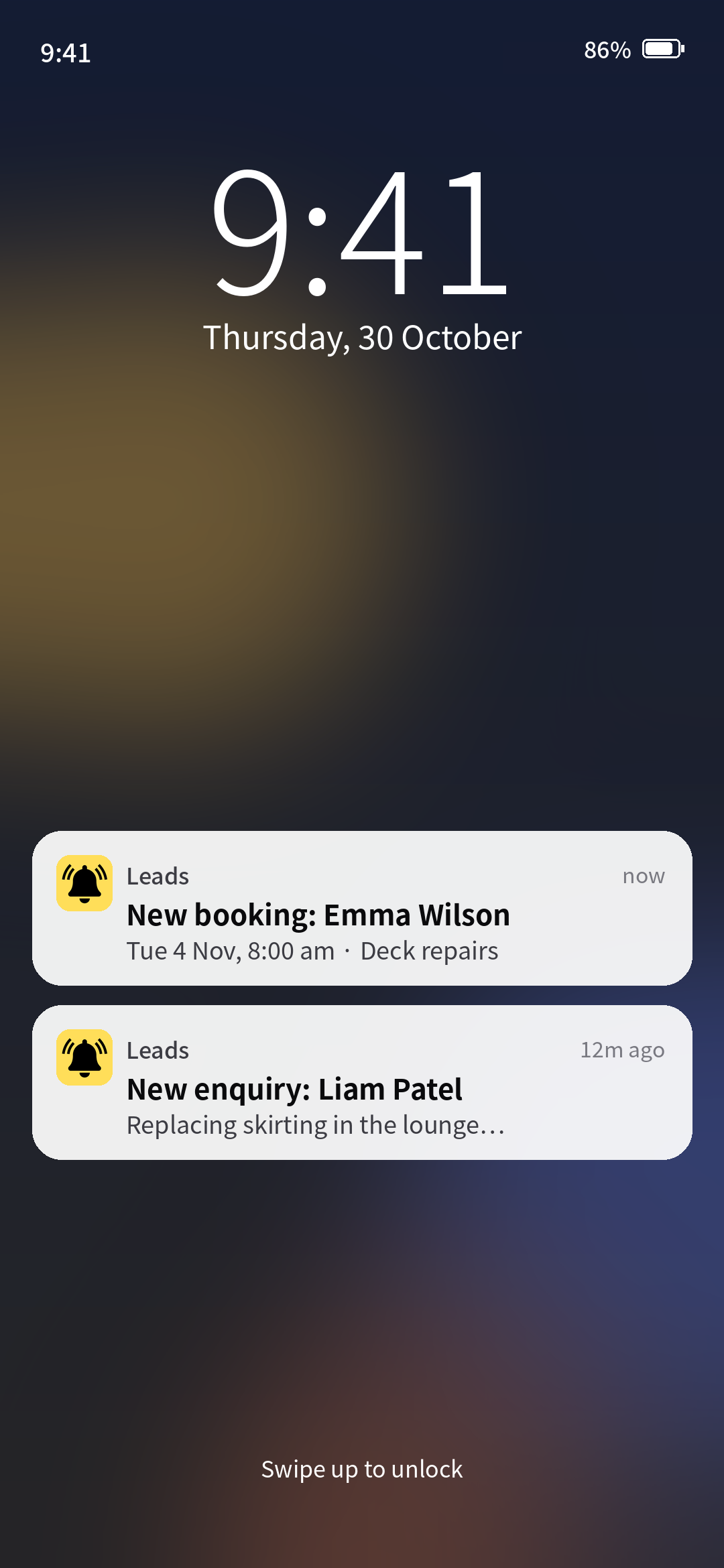
An instant alert on your phone the second an enquiry arrives.
A copy of every enquiry and booking in your inbox.
SMSComing soon
Text alerts and two-way texting with customers, on Standard and Premium.
One inbox
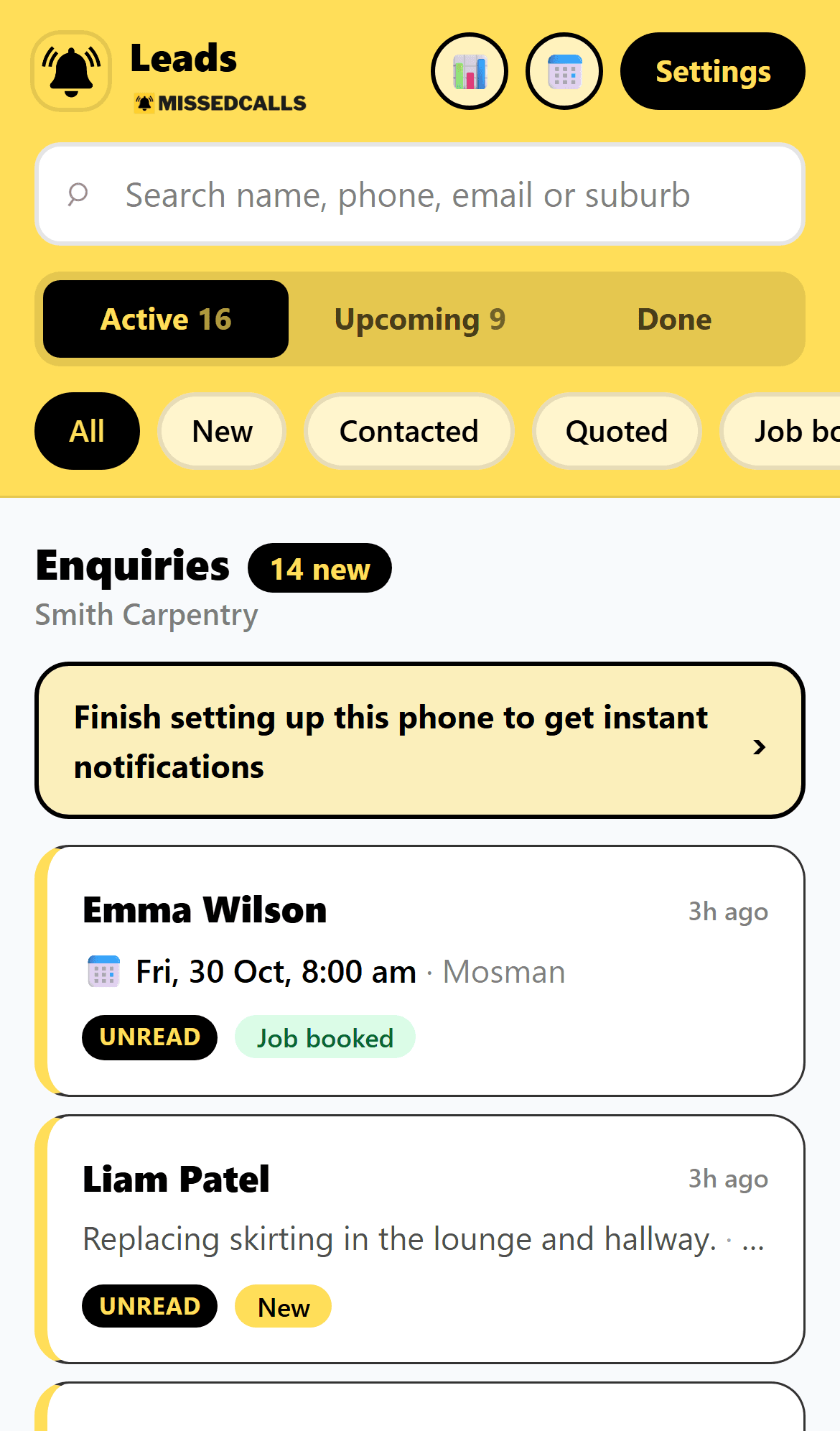
Every enquiry in one place.
Enquiries from your website, your Google profile and your shareable link all land in the same list.
No more digging through emails, texts and missed calls to find who asked for what.
Job tracking
Track every job from new to done.
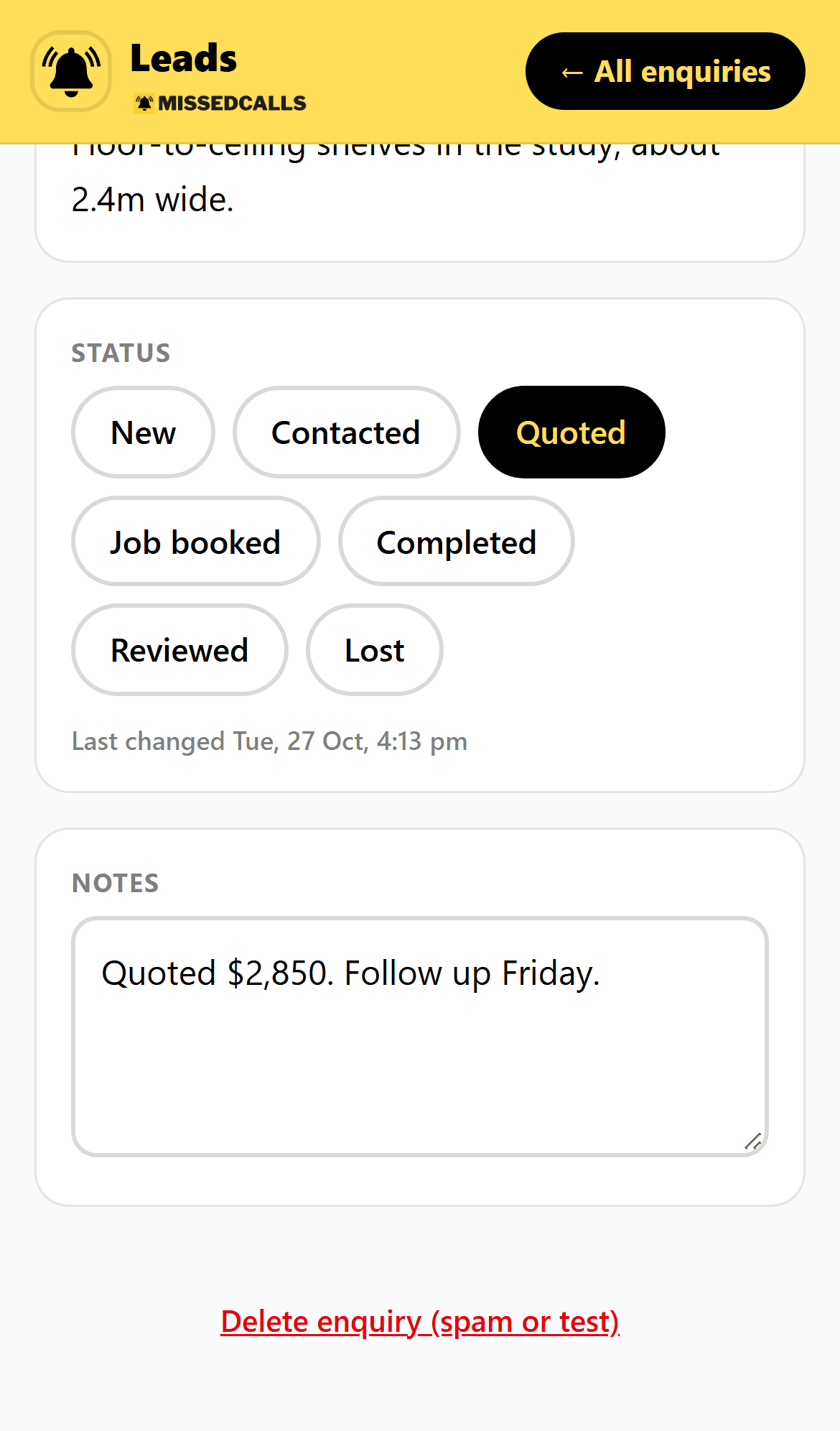
Move each job along as it progresses, from new to booked to completed, and add notes as you go: what they want, site visit times, gate codes.
Rename the stages to match how you work, like “Site visit booked”, and hide the ones you don’t use.
At a glance you know who to call back, who’s waiting on a quote and what’s booked in.
Instant alerts
Your phone buzzes the second a job comes in.
Push alerts straight to your phone, plus an email copy of every enquiry. No SMS fees, no per-message charges.
Instant
Alert the moment it lands
$0
Per-message fees
Every
Enquiry emailed to you too
No app store. Set up in a minute.
It works like an app, without the download.
- 1
Open your link
We send you a link. Open it on your phone and log in with a code sent to your email.
- 2
Add to home screen
Tap Share, then Add to Home Screen. It sits next to your other apps.
- 3
Allow alerts
Turn on notifications and every new job buzzes your phone. We walk you through it.
Your week
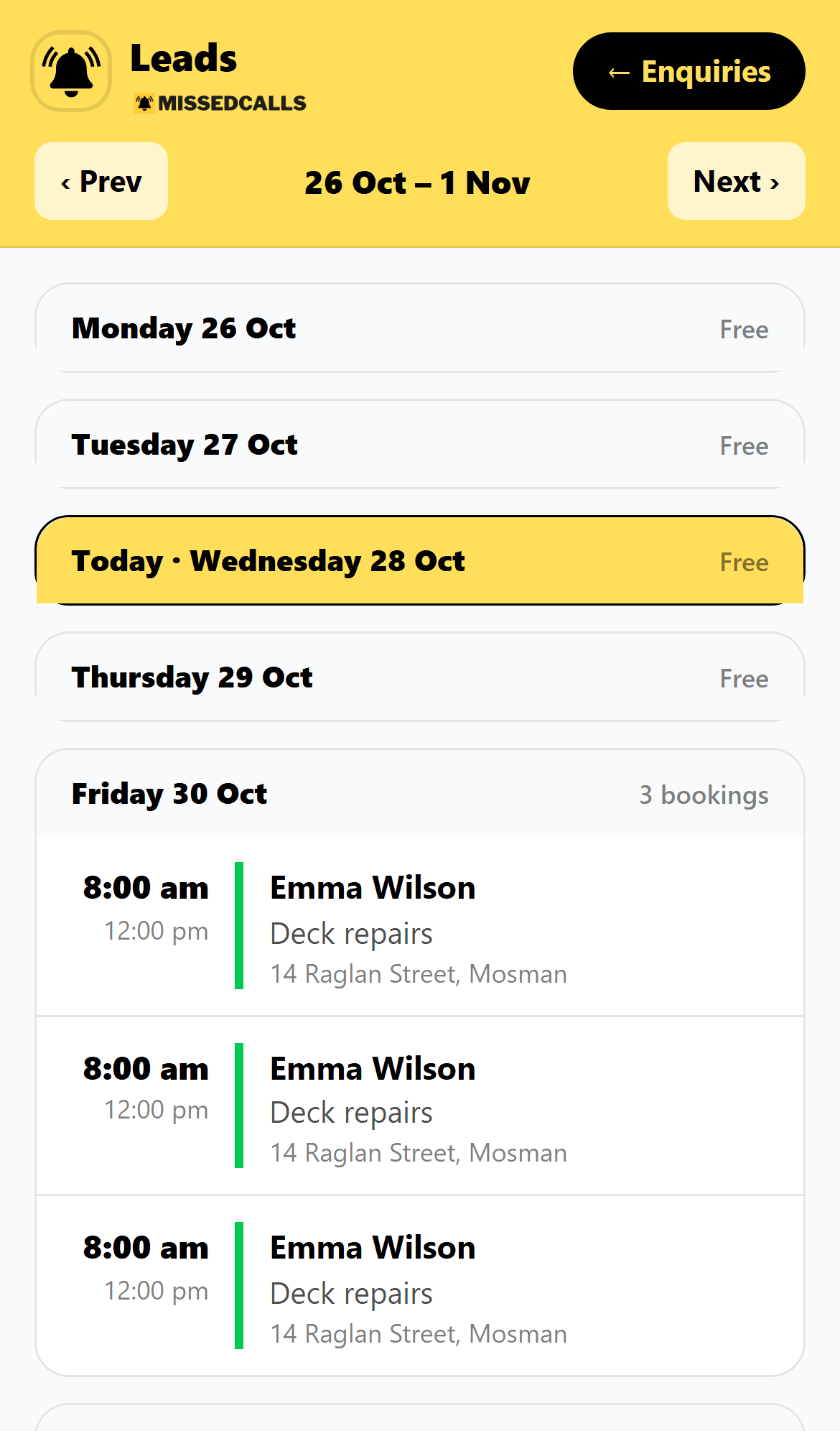
Every booking, by the week.
See what’s booked each day, with the time, the job and the suburb. Free days are easy to spot.
Bookings from your form land in the calendar automatically.
Premium
Let the inbox chase for you.
Automatic quote follow-ups, invoice reminders, review requests and service reminders, all from your Lead Inbox.
Lead Inbox questions.
Every enquiry lands in your Lead Inbox, an app you add to your phone’s home screen. You get an alert the second a job comes in.
No app store needed. You add the Lead Inbox to your home screen from your phone’s browser in a few taps, and we walk you through it during setup.
Yes. Rename any stage to match how you work, like “Site visit booked” instead of “Booked”, and hide stages you don’t use, like Quoted if you only take bookings. Follow-ups still run on the right stage, whatever you call it.
Yes. Every enquiry is emailed to you as well, so you have a copy wherever you are.